Nobody uploads a document to a website without a moment of hesitation. Is that salary slip going to end up somewhere it shouldn't? Is "free" actually free, or is there a catch three clicks in? I think these are the right questions — and you deserve straight answers before trusting any site with your files, including this one.
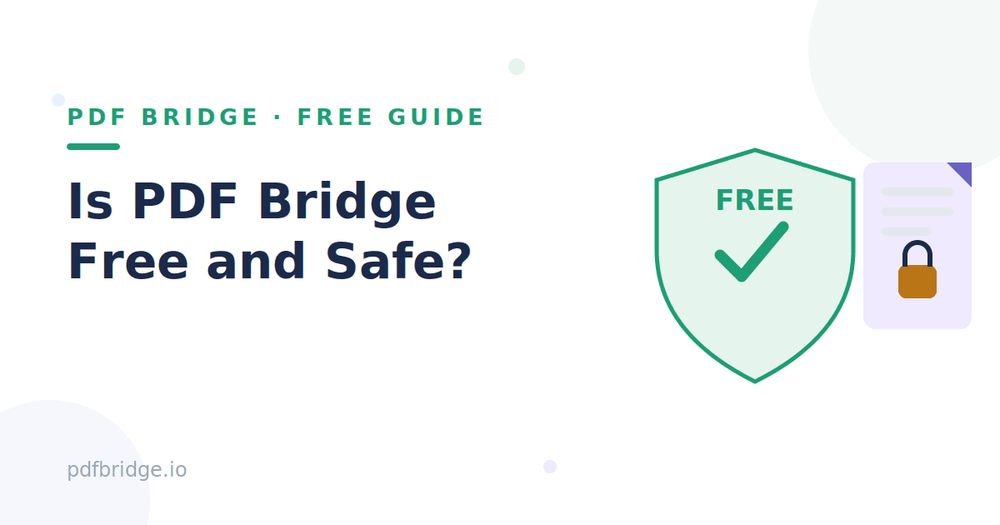
Is PDF Bridge really free?
Yes. The core tools — merge, split, compress, convert, translate, edit — are free to use. There's a daily document limit on the free plan (fair use, so one person can't hog the servers), and paid plans exist for people who process heavy volumes every day. But there's no credit card required to start, no trial that silently converts into a subscription, and no tool that turns out to be "free*" with the asterisk hiding the real price. If a tool says free, it does what it says.
How does PDF Bridge make money then?
Fair question. The paid plans are the answer — businesses and power users who need higher daily limits pay a flat monthly or yearly price, and that covers the servers for everyone else. There's no advertising injected into your documents, no selling of your data, and no "sponsored" results inside the tools. The business model is boring on purpose: free tier for everyday use, paid tier for heavy use.
What happens to my files after I upload them?
This is the question that actually matters. Here's the deal: your file is uploaded so the tool can process it — there's no magic way to compress a PDF without seeing the PDF. Processing happens, you download the result, and your files are auto-deleted from the servers according to the retention policy. They're not kept as training data, they're not browsed by staff, and they're not shared with third parties. If a site can't say this plainly, that's a red flag. This one can.
Is my data used for anything else?
No. Uploaded files are used for one thing: running the tool you asked for. They're not mined for marketing insights, not fed into AI training sets, and not sold or rented to anyone. Account data (like your email) is used to run your account — password resets, quota tracking, receipts — the normal, boring stuff. That's it.
What about sensitive documents?
A practical take: PDF Bridge is fine for the documents most people handle daily — resumes, invoices, study notes, contracts, scanned forms. For genuinely sensitive files (medical records, legal filings with personal data), my honest advice is the same for any online tool: use it, then delete your downloads from shared devices, and don't reuse the same file on sites you don't trust. Good security hygiene beats any single site's promises, including ours.
Can I use it without creating an account?
Yes. Anonymous use is available with a smaller trial quota — enough to compress a PDF or merge a couple of files and see that the tools work. Creating a free account raises your daily document limit and gives you a history of your processed files so you can re-download them. Nothing is locked behind signup that should be free.
How is this different from random "free PDF" sites?
Three differences worth checking on any PDF site, ours included: first, does it work without forcing an account before you've seen anything? Second, does it state plainly what happens to your files? Third, is there a real company behind it? PDF Bridge is run by a registered company, the tools work before signup, and the privacy story is written in plain language, not legalese. If another site fails any of those three tests, think twice.
A note on passwords and protected PDFs
If your PDF has a password, that's your own protection layer — keep it. PDF Bridge doesn't store your passwords, and tools that handle protected files ask for them only to process the document you've requested. Never upload a password-protected file to any site and then forget about the original; your local copy is always the safest version.
Related tools: PDF Bridge, Merge PDF files online free, Compress PDF online free.
Frequently Asked Questions
Is PDF Bridge free forever?
The core tools are free with a daily document limit. Paid plans exist for heavy daily use, but there's no forced upgrade and no credit card required to start.
Can the team see my documents?
Files are processed automatically and deleted per the retention policy. They're not reviewed, shared, or used for anything beyond the tool you ran.
Do I need to install anything?
No. Everything runs in your browser on desktop and mobile — no downloads, no plugins, no admin permissions.
Why does the free plan have a daily limit?
Processing documents costs server resources. The limit keeps the service fast for everyone and is reset on a rolling 24-hour basis.