My mother once received a school notice in English and asked me what it said. It was three pages long, and I ended up reading the whole thing aloud while she wrote down the dates. That is the quiet, everyday reason English-to-Hindi translation exists: not for offices and visas, but for a parent, a grandparent, a student, or a whole village panchayat notice board where Hindi is simply the language people read.
Who needs an English PDF in Hindi?
Hindi-medium students with English study material. Parents reading school circulars, fee notices and report cards. Small businesses sending terms, price lists or instructions to Hindi-speaking customers. Government and NGO workers putting health, farming or scheme information into the hands of the people it is actually for. In all of these cases, the reader is not asking for a perfect literary translation. They are asking: what does this say, and what do I have to do?
Step 1: Start from the cleanest copy you have
If the PDF was made on a computer, use that file directly — the text is already digital and translates cleanly. If all you have is a photo or scan of a printed page, that works too, but check the scan first: straight pages, no fingers in the frame, no shadow across the middle. A clean scan is the difference between a translation that reads smoothly and one where a sentence goes missing in the middle.
Step 2: Translate the whole file at once
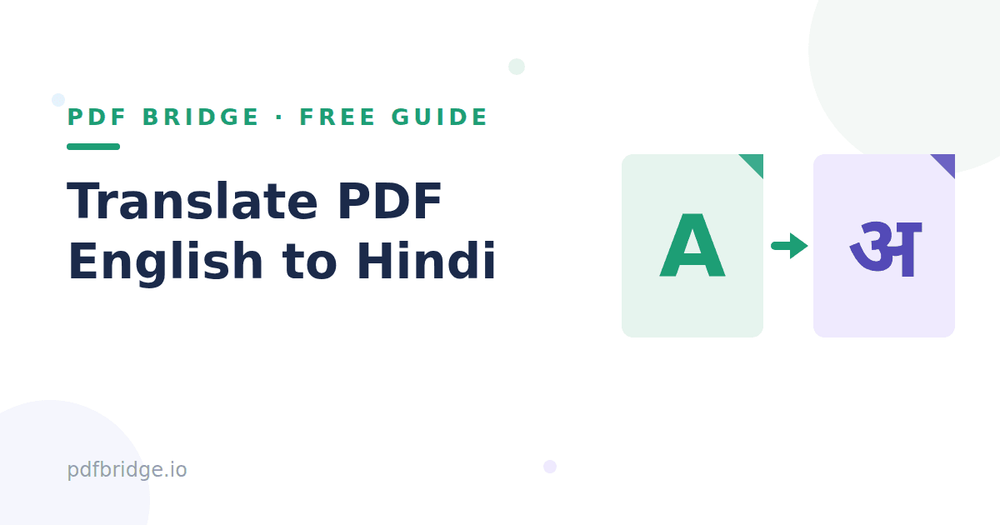
Open PDF Bridge's English to Hindi PDF tool and upload the file. Translating the whole PDF beats the copy-paste method for one simple reason: the layout survives. Tables stay tables, headings stay headings, and the reader gets a document that looks like the original instead of a wall of pasted text in a chat window. Download the Hindi version and open it — a translation you have not looked at is not finished yet.
Step 3: Check the Devanagari, not just the words
Hindi in Devanagari has one trap that English does not: conjunct letters and matras. A word can look almost right and still read wrong if a matra lands in the wrong place. Read the translated document once, out loud if you can, and watch for three things: names and numbers, dates and amounts, and any word that looks like a half-finished conjunct. Names of people, places and organisations should stay recognisable — if a name comes out mangled, it is better to keep the English spelling of that name in brackets next to it. Numbers, dates and money amounts must match the original exactly; those are never a matter of interpretation.
What about forms and official documents?
A translated form is a reading aid, not a replacement. If a form has to be submitted in English, submit the English original — the Hindi version is for understanding it before you fill it in. The same goes for legal notices and contracts: use the translation to understand what you are signing, and ask someone qualified if a clause still does not make sense. Translation removes the language barrier; it does not remove the need to read carefully.
Common mistakes to avoid
Do not translate a PDF by screenshotting each page into a chat app — the text comes back without layout, and half the pages get lost in the scroll. Do not trust a translation of a blurry scan without checking it; the tool can only read what the image clearly shows. And do not send a Hindi translation to someone and delete the English original. The pair is useful together — the reader can always check a doubtful line against the original.
A quick checklist before you share it
Open the Hindi file and skim every page. Names, dates and amounts match the original. Devanagari reads cleanly, no broken conjuncts jumping out. Tables and headings still in place. The English original saved alongside it. If those four are true, share it — and if the reader is a parent or grandparent, print it. A printed Hindi page on a table gets read far more reliably than a file link in a phone.
Related tools: English to Hindi PDF, free; Hindi to English PDF, free; Translate a Hindi PDF to English
Frequently Asked Questions
Can I translate a scanned English PDF to Hindi?
Yes. The text is read from the scan first, then translated. A clean, straight scan gives the best result.
Will the layout stay the same?
Tables, headings and page order are kept. Only the language of the text changes, not the structure of the document.
Should names be translated too?
Keep recognisable names as close to the original as possible, and add the English spelling in brackets if a name looks unclear in Hindi.
Is the Hindi version valid for official submission?
No — for submission, use the original English document. The Hindi version is for reading and understanding.